AI-Powered Planning and Design, for Better Project Delivery and Urban Developments
GET STARTED



PRODUCTS
Industries
Industries
© 2024 DigitalBlueFoam

Architecture software for commercial building design powers everything from early massing studies to BIM-based construction documentation. This guide explores leading tools like Revit, ArchiCAD, SketchUp, Rhino, and Digital Blue Foam by highlighting how modern platforms improve feasibility testing, coordination, sustainability, and commercial project performance.
Architecture software for building design is no longer just about drafting walls and floor plans. Today, it’s about making smarter decisions earlier.
Commercial buildings have become more complex than ever. Regulatory constraints, sustainability benchmarks, stakeholder coordination, and compressed construction timelines demand precision at every phase. A small planning oversight at concept stage can turn into a costly redesign during construction.
That’s why modern architecture software integrates geometry, performance data, and cross-disciplinary collaboration into a unified workflow. From early spatial feasibility testing with Digital Blue Foam (DBF) to detailed BIM coordination in Revit or ArchiCAD, the right tech stack transforms how buildings are conceived, validated, and delivered.
In this guide, we’ll break down what architecture software really means, why it matters for commercial projects, and which tools are best suited for each stage of the building design lifecycle.
Architectural design software refers to digital tools that help with planning, modeling, and visualizing buildings throughout the design lifecycle. It includes everything from early conceptual massing and space planning to detailed construction documentation and performance analysis.
Modern building design software integrates geometry, data, and workflows, evolving from earlier drafting tools. Most platforms include 3D modeling, Building Information Modeling (BIM), clash detection, material quantification, and facilitate coordination across architectural, structural, and MEP disciplines.
These tools are used to translate the design intent of architects and planners into viable, compliant, and performance-driven structures, particularly for commercial and large projects that involve complexity and coordination.
Modern building design factors in much more than form and function. Architects now face the challenge of responding to regulatory constraints, sustainability goals, tight construction timelines, and multi-stakeholder coordination. Building design software can help manage this complexity.
At a fundamental level, they increase accuracy while reducing many errors by hand. At an advanced level, they allow testing of scenarios, as well as validation of designs before the construction.
For instance, projects in the early stages of planning use platforms like Digital Blue Foam to test spatial feasibility, site constraints, and layout efficiencies before going into detailed BIM models. This helps planners shake out fundamental design problems early, which saves time and cost.
When you look at the most iconic buildings on the globe, such as Eiffel Towers in Paris, Big Ben in London, or the Empire State Building in New York, what comes into your mind? Most building designers will want to also work on such magnificent projects or even better. Now we have some good news for you: developing better building designs is a lot easier with the right building design programs. Keep reading as we identify the only architecture software best for commercial buildings.
The process of designing a commercial building resembles that of a residential facility but differs in complexity and size. As an architect, the process involves designing facilities such as offices, hotels, shopping malls, factories, and hospitals. If the building is a skyscraper, its design and construction will be a lot more complex.
When contracted by a client to create a design of a commercial building, the process involves materializing commercial buildings and requires a lot of research on the project. However, more steps will be required before the construction of the commercial building can commence. Here are the main steps involved in the design and construction of a commercial building project.
i) Planning.
ii) Designing.
iii) Pre-construction.
iv) Procurement.
v) Construction-phase.
vi) Post-construction phase.
The process of commercial building design comes in the first and second phases of the project. Once a client has decided on the location of the project, he/she will bring onboard an architect so that the building design process can commence. This is where you come in as an architect, and it is crucial to have the best building design software. So, which CAD or BIM modeling program do you use to create the commercial building design?
Commercial buildings demand software that can handle scale, coordination, and long-term performance. Below are some of the most widely used architecture software platforms with their strengths and limitations.
Revit is the most commonly used for BIM commercial building projects that require a high degree of coordination between architectural, structural, and MEP systems. It allows teams to produce data-rich models that support design development, documentation, clash detection, and construction coordination, hence becoming a standard for large offices, hospitals, and mixed-use developments.
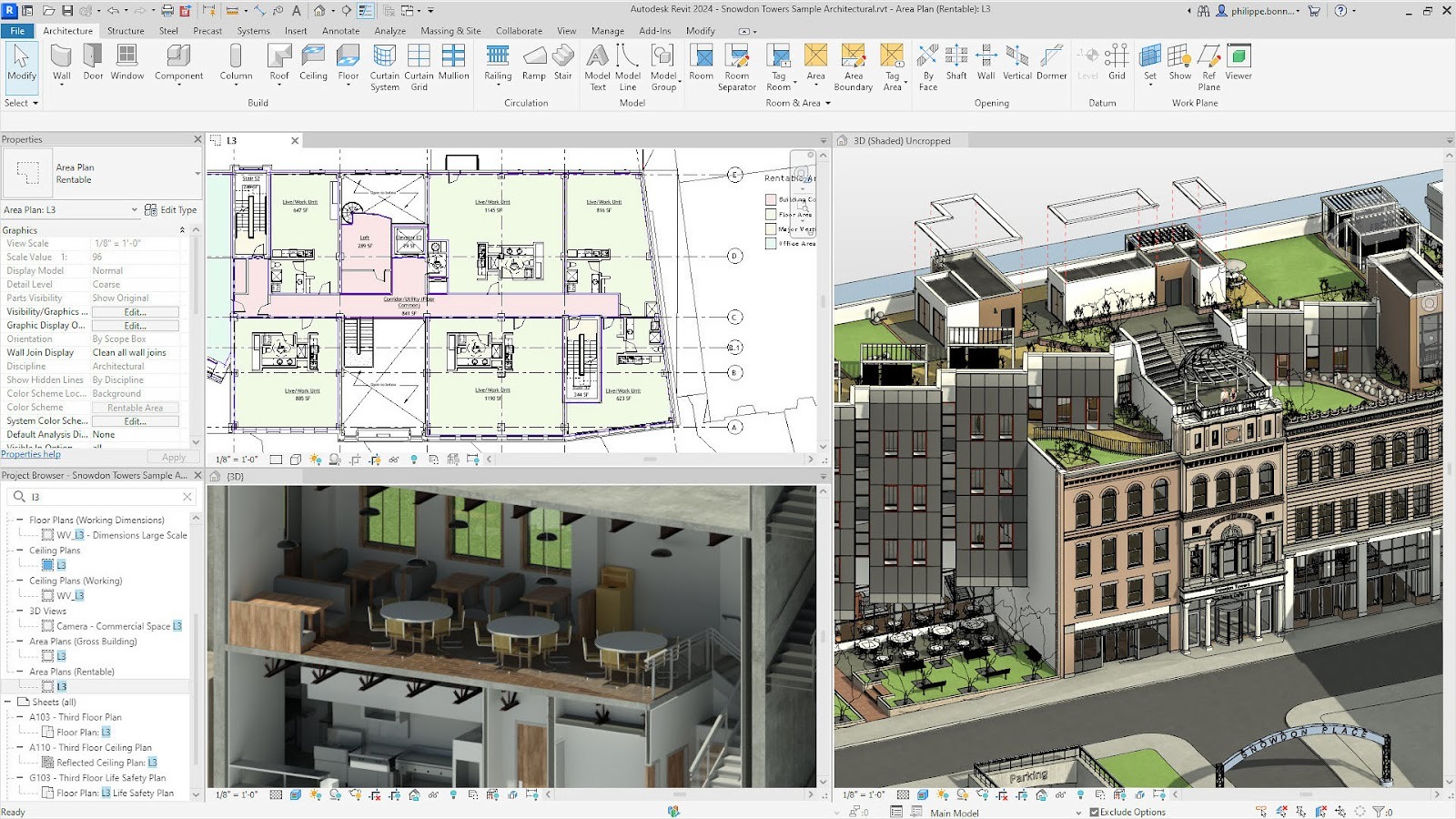
Best for: BIM-based commercial building design
Pros:
Cons:
Pricing: Subscription-based (mid to high range)
ArchiCAD is favoured for use by architect-driven teams who require a strong BIM solution without sacrificing design flexibility. It offers end-to-end building modelling using a design-centric workflow that is very useful for commercial buildings where the design and the technical specifications need to be developed side by side.
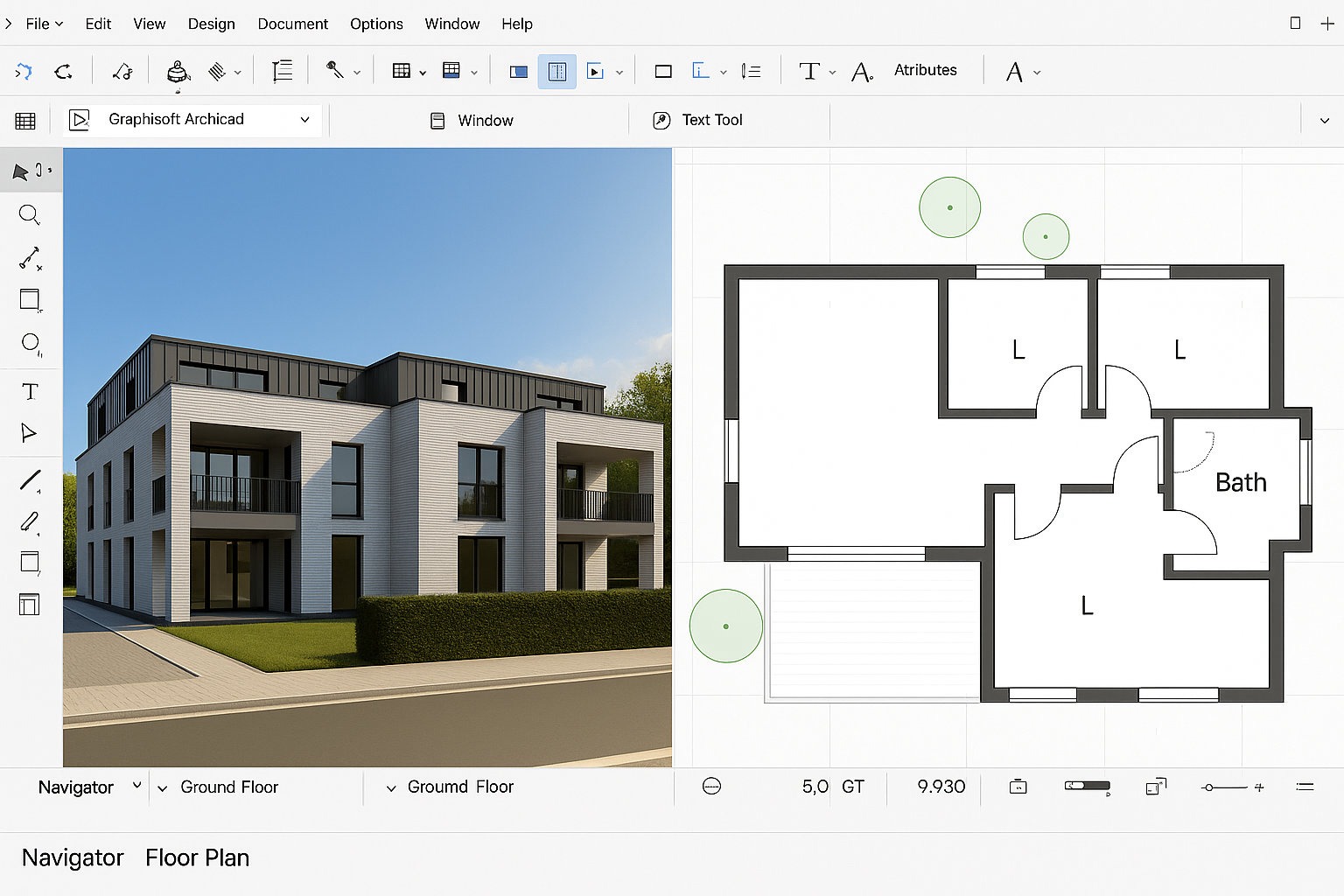
Best for: Architect-led BIM workflow scenarios.
Pros:
Cons:
Pricing: Subscription-based (mid-range)
SketchUp is widely employed in the conceptual stage of commercial designs to analyse concepts related to massing and spaces. It is not primarily used as a construction documentation software. However, it assists architects in communicating designs to interested parties prior to using BIM software.
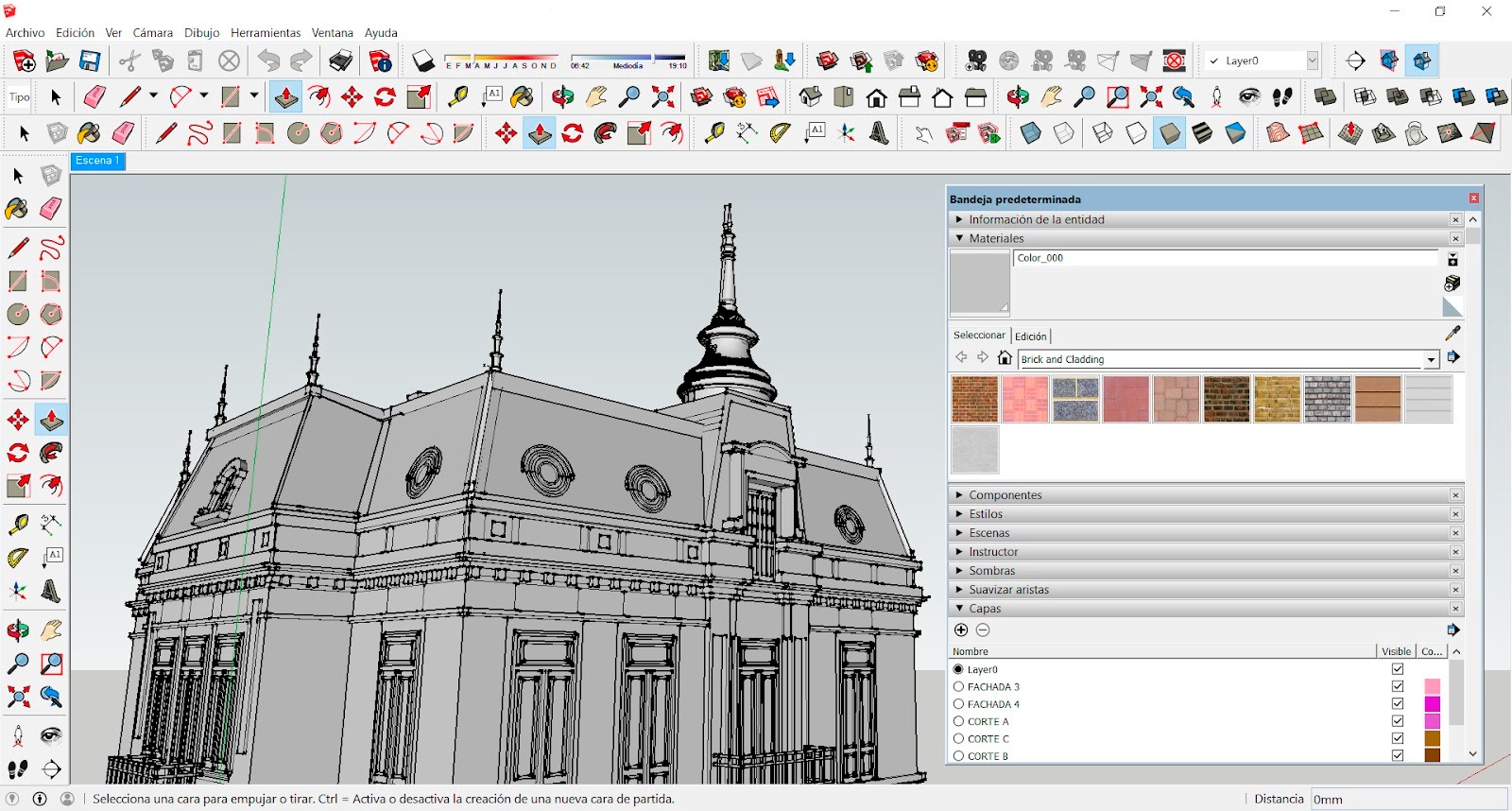
Best for: Concept design and visualization
Pros:
Cons:
Pricing: Freemium with paid professional versions available
Rhino, in collaboration with Grasshopper, is utilized for commercial architectural designs which involve complex geometrical computations or parametric facade modelling. The software assists the designer in understanding and refining based on various parameters like daylight performance and structural and material properties.
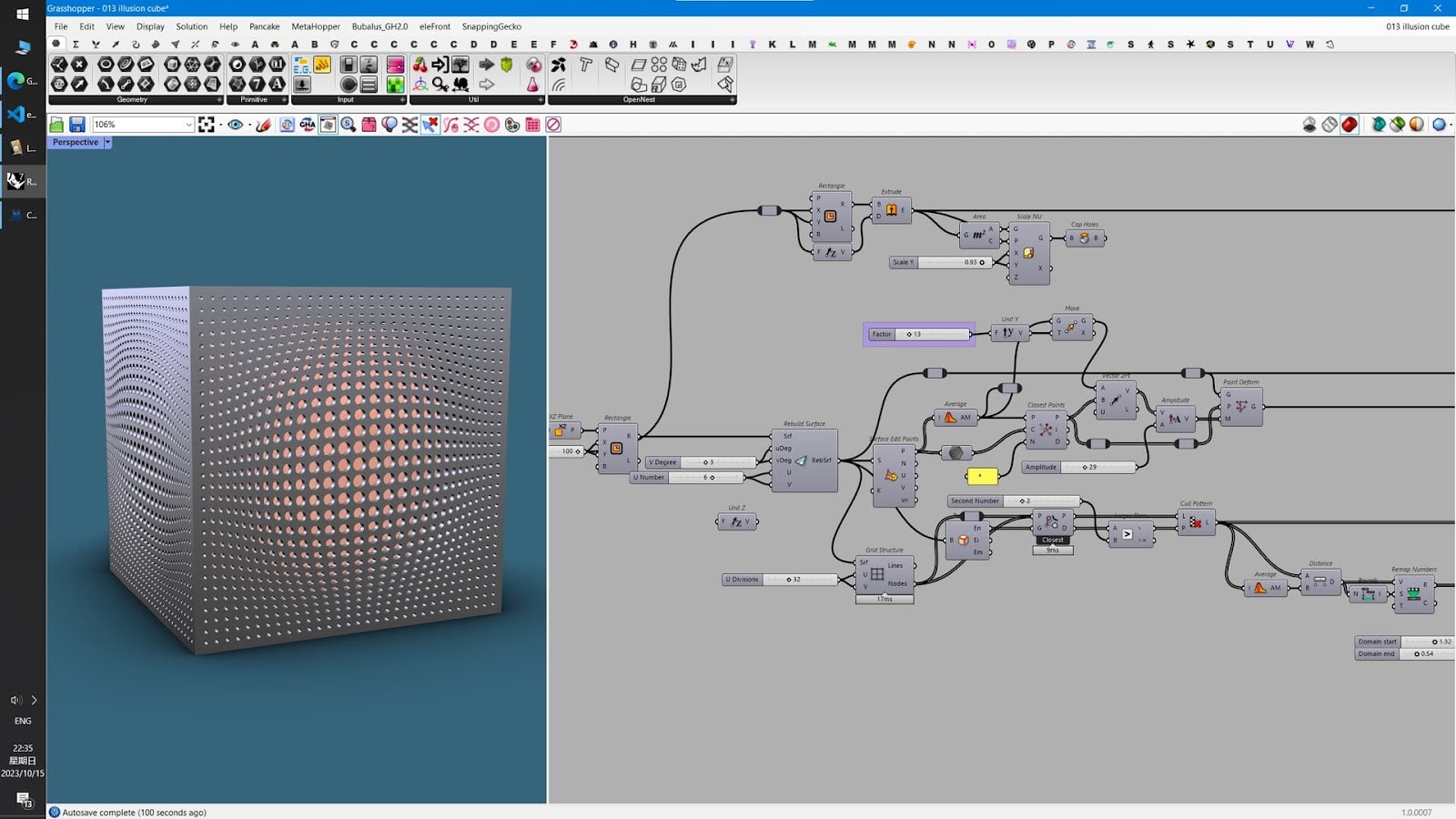
Best for: Parametric, complex geometry
Pros:
Cons:
Pricing: One-time license (mid-range)
Digital Blue Foam is used in the planning and feasibility stage for commercial buildings. The software is used for the team to review the plan with respect to the proposed layouts, site constraints, circulation, and space efficiency even before plan designs are committed graphically.
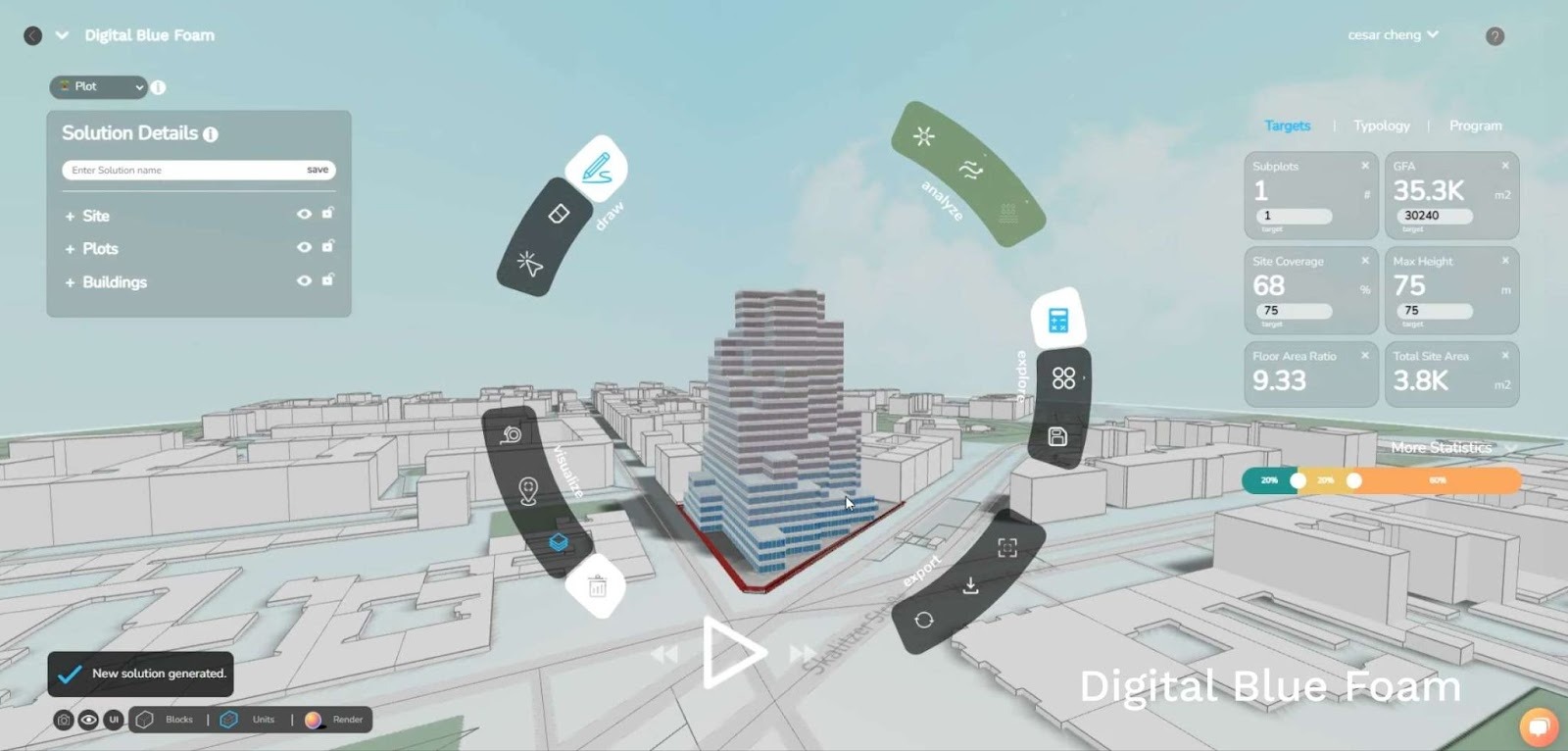
Best for: Initial planning of building layout and feasibility study
Pros:
Cons:
Pricing: Project and enterprise-based (varies by use case)
Learning the nuances of building design software is not an optional choice for architects and planners anymore. Rather, these tools are now a part of the process of how buildings are planned, approved, and implemented.
Expertise in building design software helps one to:
Knowing such tools on the one hand is thus beneficial for young architects, enhancing their employability; on the other hand, more-established architects might find those solutions helpful in developing better design management, timeline management, and project coordination, especially in complex commercial projects.
Architecture software has evolved from drafting utilities into strategic decision-making platforms. Today’s commercial building projects demand more than 3D models. They require scenario testing, cross-team coordination, sustainability validation, and risk mitigation from day one.
No single tool can do everything. The most effective teams combine early-stage planning platforms like Digital Blue Foam (DBF) with detailed BIM solutions such as Revit or ArchiCAD. By validating spatial feasibility, site constraints, and layout efficiencies before committing to full BIM development, DBF helps reduce rework, accelerate approvals, and align stakeholders early in the process.
As commercial projects grow in scale and complexity, the firms that win will be those that make better decisions upstream. Building design software isn’t just about drawing smarter—it’s about planning smarter. And that starts long before construction documentation begins.
The two most common BIM solutions that architects and construction companies use for commercial buildings are Autodesk Revit and ArchiCAD.
Architects and planners can use the trial versions of Plan 7 Architect, although licensing is required for full functionality.
SketchUp and Rhino are popular options for 3D modelling. Depending on what is needed, teams can choose between a quick visualization or a more complex geometry.
CAD focuses on drafting geometry, whereas BIM brings together geometry with data and other attributes like analysis and the lifecycle of structures.
Clash detection involves identifying blockages in building components, such as structural elements that clash with MEP services, before actual construction work commences.